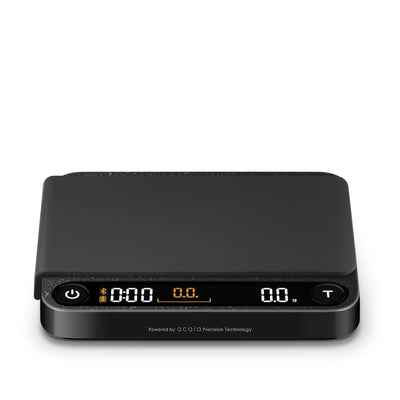
Precision Scales For Pour Over Brewing
Keep your coffee-to-water ratio consistent with precision scales for pour-over brewing. Shop Precision Coffee Scales for Espresso Brewing alongside coffee scales from Acaia, Hario, OXO, and Fellow, including options with built-in timers to track brew time alongside weight. Compare platform size and controls to find a scale that accommodates your dripper and carafe and helps you repeat your favorite cup.
Best Sellers
FAQs
Place the scale on a level, stable surface and select grams. Set your carafe and dripper with a rinsed, drained filter on the platform, then tare the display to zero. Add your ground coffee and note its weight. Tare again before pouring so the display tracks only the water you add.
Taring resets the display to zero with something on the platform, such as your carafe. Calibration checks or adjusts the scale against a known reference weight. Tare during your brewing workflow, and follow the manufacturer's instructions for calibration, including which calibration weight to use.
A manual timer starts when you press its control, typically as you begin your first pour. An automatic timer starts when the scale detects a trigger, such as added water, depending on the model and mode. Check the mode instructions before brewing, since automatic start and stop behavior varies.
Drafts, countertop vibrations, low batteries, or contact between your brewing equipment and another surface can cause shifting readings. Move the scale to a stable surface, center your equipment, and check the battery indicator. If the reading still drifts, follow the manufacturer's troubleshooting and calibration guidance.
Remove coffee grounds with a soft brush, then wipe the platform with a lightly damp cloth and dry it. Clean removable mats separately according to the manufacturer's directions. Keep residue from building up around buttons and platform edges, where it can interfere with normal operation.