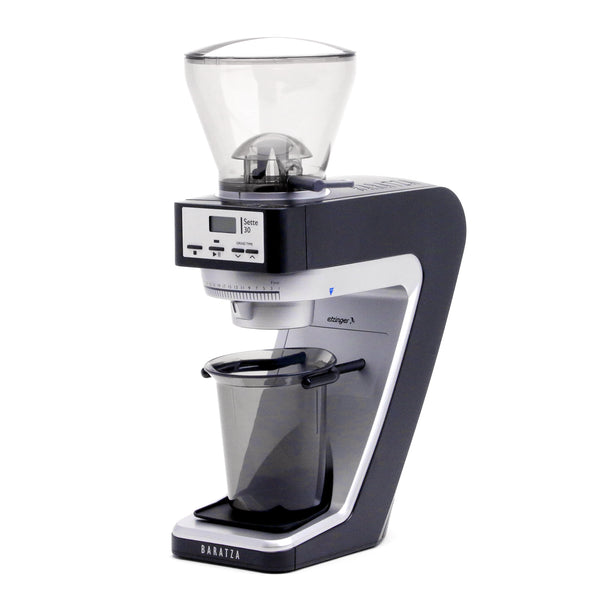
Grinder Won't Start
Confirm the hopper is fully seated and locked — the grinder has a safety interlock that prevents starting without the hopper installed. Ensure the power cord is plugged in and the outlet is live. If the motor ran for a long time, a thermal overload may have triggered; unplug, wait 15 minutes, and try again.
Grind Too Coarse / Weak Coffee
Move to a lower (finer) setting. Adjust while the grinder is running or completely empty. Changes of 2–3 settings at a time are enough for drip methods; 1-setting increments for espresso.
Gearbox Noise
A clicking or grinding noise from the gear area developing over time indicates gearbox wear — a known Sette-platform maintenance item. Replacement gearboxes are user-installable and available at baratza.com.
Grind Too Fine / Slow Espresso or Clogged Filter
Move to a higher (coarser) setting. For espresso, adjust 1 click at a time. If the portafilter is completely blocked with no flow, jump 3–4 settings coarser and work back in.
Inconsistent Grind / Fines Surge
Clean the burrs with a brush — oil and grounds buildup is the most common cause of inconsistency. If the grinder is new, the burrs may simply need more seasoning. Run another 50g through and retest.
Grinding Noise / Rattling
Check that the hopper is fully seated and locked. Confirm the ring burr is properly installed with the red alignment tab in the correct position. A bean fragment or foreign object occasionally gets lodged between the burrs — if the noise is sudden and severe, stop the grinder immediately, remove the hopper and ring burr, and inspect.
Warranty and Support
Baratza grinders carry a 1-year manufacturer warranty covering defects in materials and workmanship. For warranty service or troubleshooting, visit baratza.com or contact Baratza support at support@baratza.com / 877-701-2021. Baratza also maintains a full troubleshooting library and video repair guides at baratza.com.