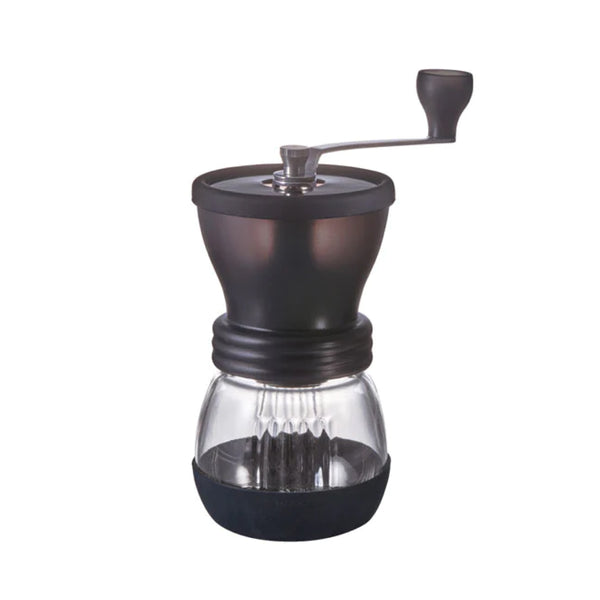
The Hario Skerton Plus is a manual hand grinder with ceramic conical burrs. No electricity is required. Before first use, rinse the glass receptacle and wipe the burr assembly with a dry cloth to remove any residue from manufacturing.
Assembly
Attach the non-slip rubber base to the bottom of the glass receptacle. Thread the grinder body onto the glass receptacle. Insert the stabilizer plate onto the burr shaft — this keeps the lower burr steady during grinding and improves consistency. Thread the grind adjustment nut onto the shaft from the bottom to set your grind size, then place the crank handle on top of the shaft and secure it with the locking screw.
Setting Grind Size
To adjust grind size, loosen and remove the locking screw and lift off the crank handle. Turn the grind adjustment nut clockwise to make the grind finer, or counter-clockwise to make it coarser. Do not turn the nut so far clockwise that the ceramic burrs contact each other — this can damage them. Replace the handle and locking screw after adjusting. As a general starting point, coarser settings suit French press and cold brew; medium settings work well for pour over and drip; finer settings are needed for AeroPress and moka pot.
Loading and Grinding
Remove the lid and add whole bean coffee to the hopper — up to 100g maximum. Replace the lid. Hold the grinder body firmly with one hand (the figure-eight shape makes this comfortable) and turn the crank handle clockwise with the other. Grind until the receptacle contains your full dose. Do not spin the handle freely or reverse direction during grinding, as this can damage the burrs.